Your new tab,
beautifully organized
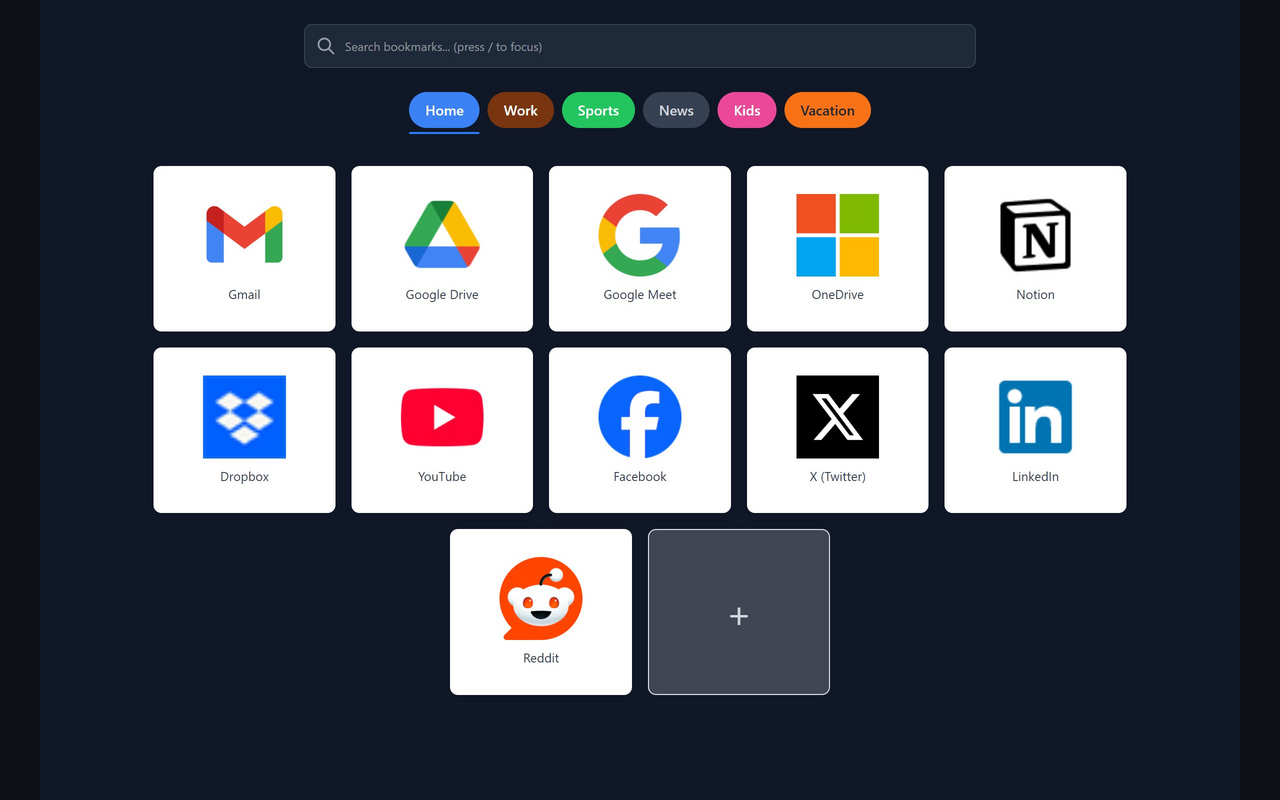
A visual speed dial for your browser's new tab page. Your bookmarks, one glance away — organized by category, searchable in milliseconds.
Everything your new tab page should be
Simple, fast, and beautiful. Your bookmarks, not Chrome's default.
Speed Dial Grid
See all your bookmarks at a glance with site icons and thumbnails. No more endless lists or blank new tabs.
Instant Search
Find any bookmark in milliseconds. Search by title, URL, description, or tags.
Smart Tagging
Organize beyond folders with flexible tags. One bookmark can belong to multiple tags.
Chrome Folders Sync
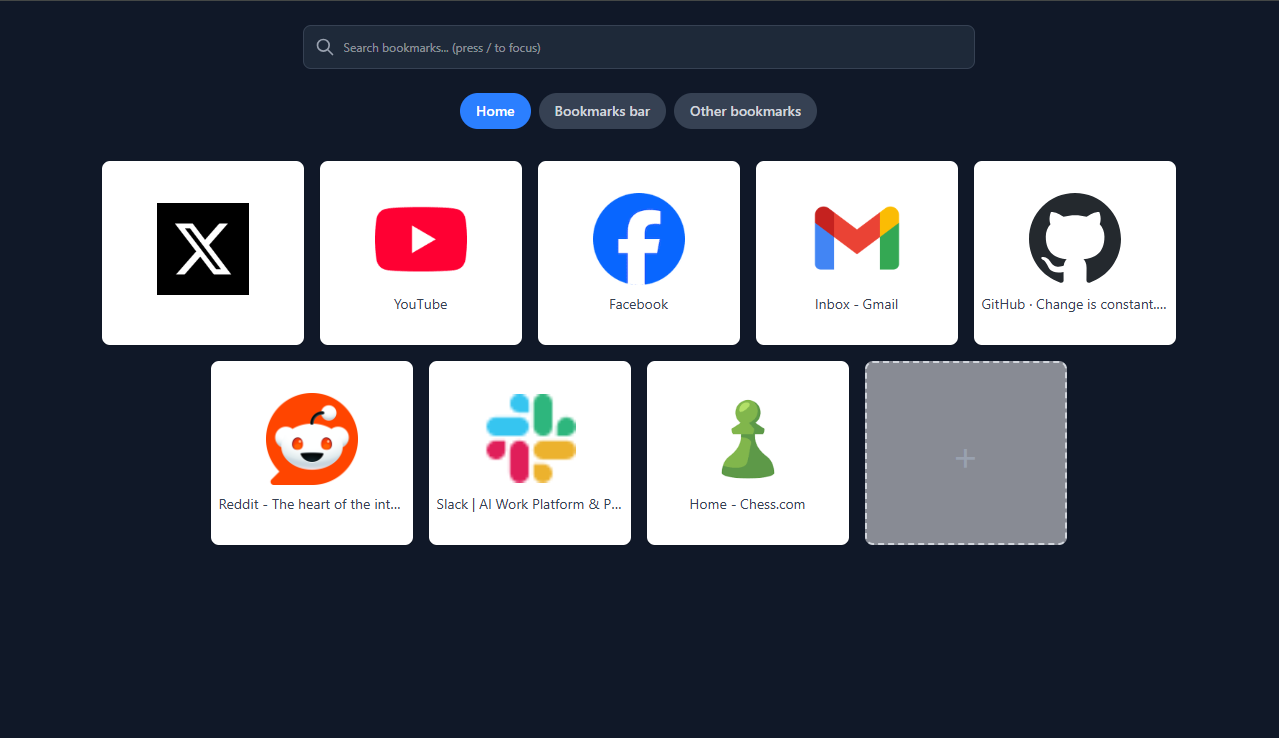
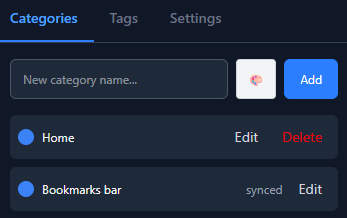
Your Chrome bookmark folders automatically become categories. No manual setup needed.
Drag & Drop
Reorder bookmarks and categories with intuitive drag and drop. Organize your way.
Private & Local
Your bookmarks stay on your device. No account required for the free version.
Quick Save Popup
Save any page in one click from the extension popup. Automatically captures the title and URL, and warns you if it's already bookmarked.
Category Customization
Give each category its own color. Show or hide categories to keep your grid focused on what matters right now.
Backup & Restore
Export all your bookmarks, categories, and tags to a JSON file. Restore from any backup in one click — no account needed.
See it in action
A look at what Snapmarks actually looks like in your browser.
New Tab Main
How it works
Get started in seconds, not minutes.
Install the extension
Click "Add to Chrome" and accept permissions. Takes 5 seconds.
Open a new tab
Your existing bookmarks appear automatically in a visual grid.
Start organizing
Add tags, drag to reorder, and search to find anything fast.
Simple, honest pricing
Free feels complete. Pro feels like more.
Free
Everything you need to get started
- Full bookmark grid view
- Chrome folder categories
- Instant fuzzy search
- Local storage (IndexedDB)
Pro
For power users who want more
- Cross-device sync
- Cloud backup & restore
- Hierarchical categories
Already have Snapmarks? Open the Pro tab to upgrade.
Frequently asked questions
Where are my bookmarks stored?
With the free version, your bookmarks are stored locally in your browser using IndexedDB. They never leave your device. With Pro, you can optionally sync them to the cloud for cross-device access.
Does it work with my existing Chrome bookmarks?
Yes — if you want it to. Snapmarks works as a fresh, self-contained dashboard by default, so you start with a clean grid. Importing your existing Chrome bookmarks is an optional feature you can turn on whenever you like; until you do, your Chrome bookmarks are left exactly as they are.
What happens to my data if I uninstall?
Your original Chrome bookmarks remain untouched — we never modify them. Tags and custom organization are stored locally and will be cleared when you uninstall. Use the built-in Backup & Restore (in the side panel Actions tab) to export a JSON file before uninstalling, so you can restore everything if you reinstall later.
Can I cancel Pro anytime?
Yes, cancel anytime with no questions asked. You'll keep Pro features until the end of your billing period, then revert to the free plan. Your bookmarks remain yours.
I installed Snapmarks but my new tab looks the same — what's wrong?
Open a brand-new tab (Ctrl+T), not a refresh of an existing one. If it's still unchanged, check for a Chrome "Keep changes" prompt near the address bar, or open chrome://extensions, confirm Snapmarks is enabled, then open a new tab again.
How do I back up and restore my bookmarks?
Open the side panel (toolbar icon or right-click menu) and go to the Actions tab. Choose Export to download a JSON file containing all your bookmarks, categories, and tags. To restore, use Import on the same tab and select a previously exported file — everything is brought back in one step. No account needed.
What's the difference between categories and tags?
Categories are the tabs across the top of your grid, and each bookmark lives in one. Tags are flexible labels you add yourself, and a bookmark can have several. Use categories for broad structure and tags to filter across categories at once.
Is there a Firefox or Safari version?
Currently, Snapmarks is Chrome-only. We're considering Firefox and Edge support based on user demand. Safari extension development is more complex but on our radar.
Ready to transform your new tab?
Turn a blank page into a visual dashboard for your bookmarks.
Add to Chrome — It's Free